
DockTerm is not a terminal emulator, and not a multiplexer.
It does not render your shell and it does not split panes into detachable sessions. Those are different, well-established categories with their own tools. DockTerm runs alongside your terminal emulator, not instead of it.
The short version
Your shell stays put. The prompt comes forward.
Updated
Three different categories
Each row states what that category does by its own published description, not a ranking, and not a claim that any one of them is worse.
| Category | What it does | What it does not do |
|---|---|---|
| Terminal emulatoriTerm2, WezTerm, Alacritty, Kitty | Renders a shell in a window: fonts, color, tabs, panes and scrollback. | Track whether an agent running inside it is waiting on a yes/no. |
| Multiplexertmux, Zellij, GNU Screen | Splits one terminal into panes and keeps sessions alive when you detach. | Surface anything outside the terminal window you are looking at. |
| DockTermby Moon Labs, free and MIT | Runs a real terminal, reads Claude Code’s state, and floats a prompt over any app. | Split panes across detachable sessions, or replace your terminal emulator. |
Keep the tools you like. Add the signal you’re missing.
DockTerm is a companion layer: it notices the moment your agent stops being autonomous.
Your terminal
Use iTerm2, WezTerm, or the terminal you already trust for the actual shell.
Your sessions
Use tmux or Zellij when you need panes, persistence, or a session that survives a detach.
The missing signal
DockTerm watches Claude Code and brings its permission prompt to the surface when it needs you.
One prompt, surfaced at the right moment.
This is the difference between a background process and a desktop companion.
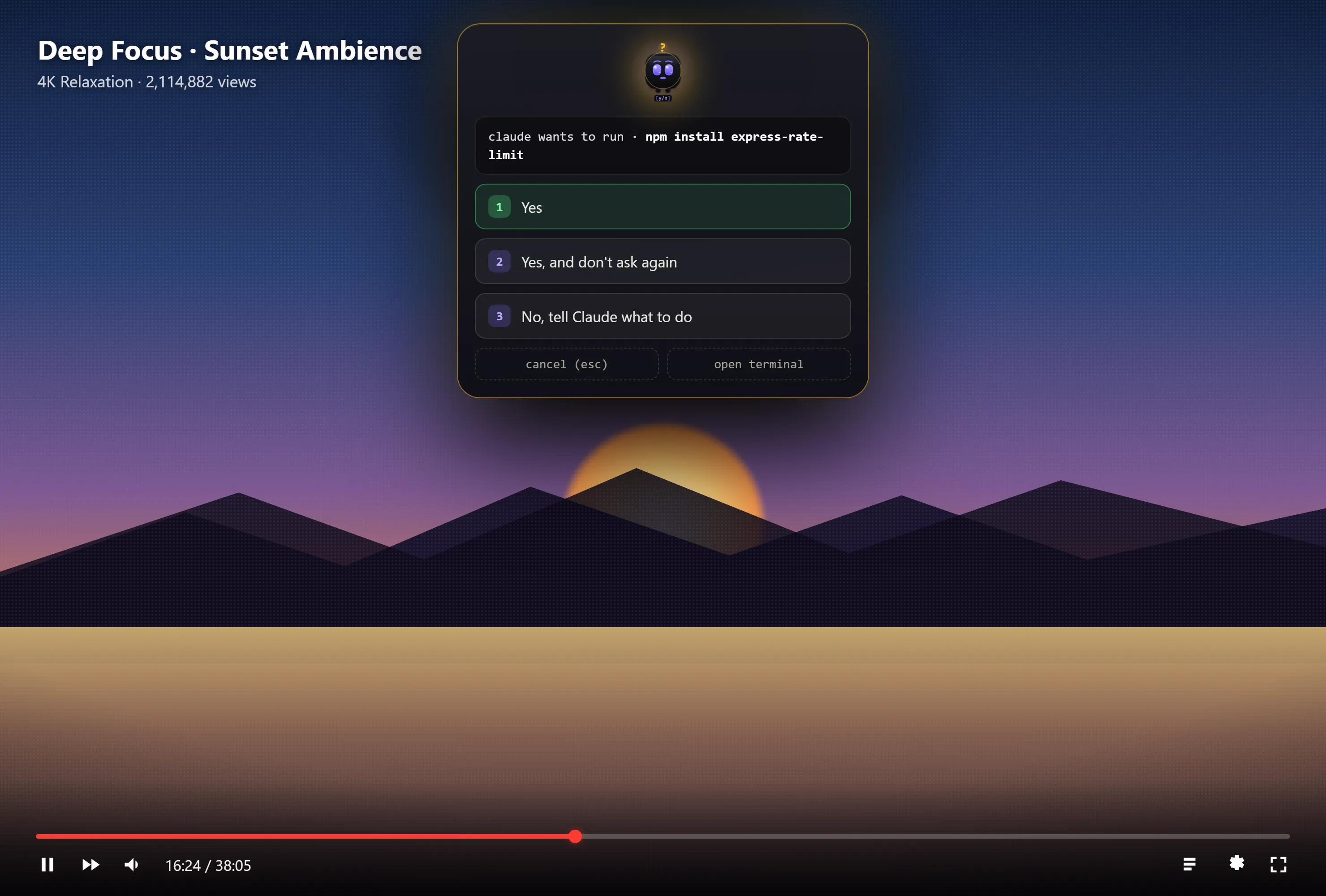
What DockTerm is for
DockTerm runs alongside your terminal emulator, not instead of it. It is a desktop home for Claude Code, and its job is making sure an agent waiting on a yes/no never sits unanswered behind a fullscreen window.
When Claude Code hits a permission prompt, munu, DockTerm's notch mascot, floats it over whatever is on screen, including a fullscreen video on another desktop, and you answer in one click. That is the whole category: a desktop client for Claude Code that surfaces the agent's permission prompts, wherever you actually are.
Read more about what DockTerm does and how it works.
Common questions
Is DockTerm a terminal emulator?
Is DockTerm a terminal multiplexer like tmux?
What does DockTerm actually do?
Do you need DockTerm if you already use tmux?
Free · open source · macOS, Windows, Linux