
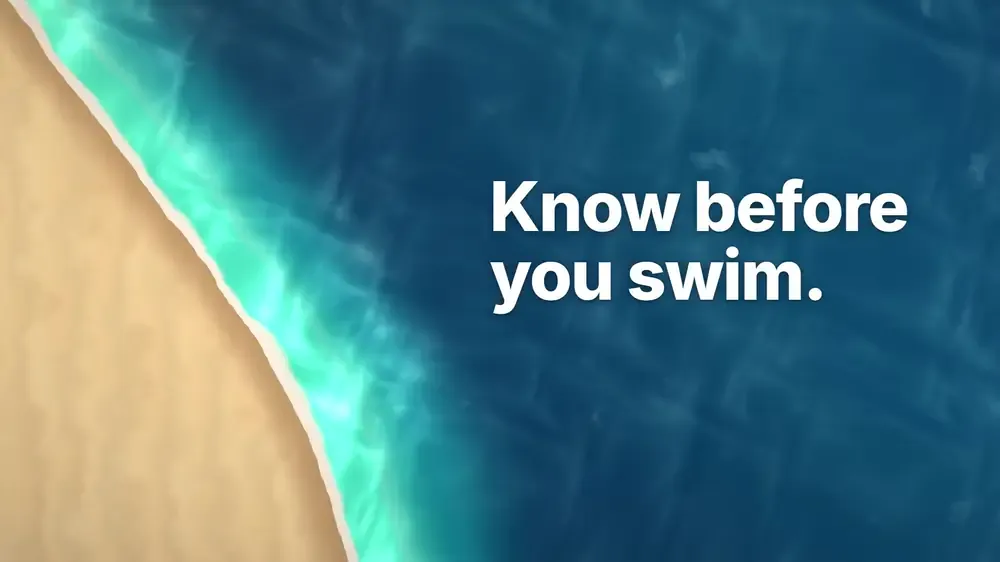

Moments from films made by /video: a beach seen from above and a plant app on a sunny windowsill

/video

Type /video in Claude Code. Get your launch film.

A Claude Code skill that makes launch and product videos with motion design, 3D and music, and checks every frame. Open source, MIT.

Install inside Claude Code
/plugin marketplace add munvard/video-skill
/plugin install video@video-skill

Then open your project and type /video.

  • Open source, MIT
  • Claude Code plugin
  • Runs on your computer

Films it made

One prompt in a clean folder. No editing by hand.

Each film came from a single prompt in a clean folder. Open a film to watch it with sound and see its prompt, its plan and its numbers.

A monstera grows in a round photo that becomes the app’s plant screen

Mossbook, an invented plant app

One prompt, 31 min

The prompt

/video Make the launch film for this project: one 9:16 cut for Reels and TikTok and one 16:9 cut for the site. I am away, so do not stop to ask; make it beautiful.
Watch it with sound (opens in a new tab)
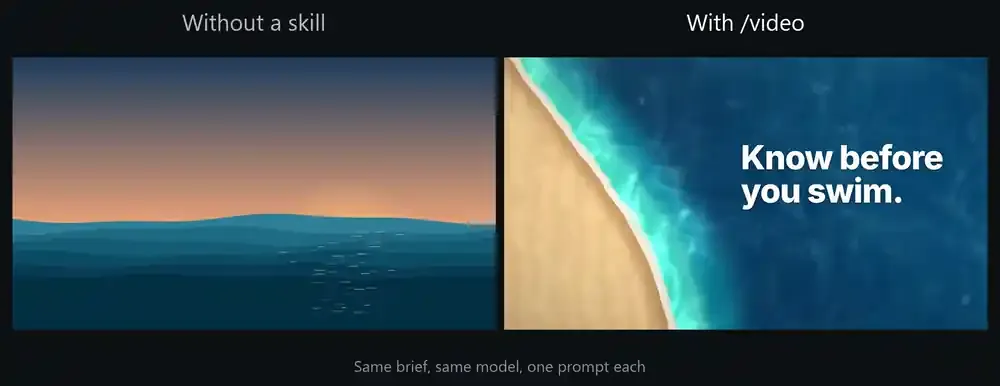
Left: a pale card that says Good. Right: an aerial beach with Good, Fair and Stay out badges

Same prompt, with and without

The same 15 second brief, the same model, one prompt each.

Without a skill
3.3 min and 4 of 8 checks failed
With /video
6.4 min and 0 of 8 checks failed
How this was tested

Claude Code got the brief twice in a clean folder: once with nothing installed, once with /video. The failed checks without the skill were frame 0, dead, end hold and slab.

This brief was also used while the skill was built (two of its rules came from an earlier run), so it shows the result fairly but it is not a blind test.

Both prompts, both films and every number (opens in a new tab)

More films are in the gallery (opens in a new tab).

How it works

From your project to a checked film.

  1. Reads your project

    Type /video with no other words and it reads your README, site and screenshots, then makes that product’s launch film.

  2. Plans like a director

    It pitches four very different ideas, shows you stills and a moving test before the full render, and redoes a look that is not clearly beautiful.

  3. Motion design or real 3D

    Motion design is HTML and canvas pages, rendered frame by frame in headless Chrome. 3D is Blender, with CC0 materials, models and light from Poly Haven and ambientCG.

  4. Sound made in code

    Music on a beat grid, a sound for every event on screen, and an optional local voice.

  5. Checks every frame like a phone viewer

    Frame 0, reading time, text size, the 9:16 safe area, loudness and the first 3 seconds of a reel. Each check is PASS or FAIL with numbers, and it fixes every FAIL before it delivers.

  6. Learns your taste

    Your reactions go to .video/taste.md in your project and win over its defaults.

9:16 for a reel, 16:9 for your site

Say what you need after /video, or say nothing and let it read the project.

  • /video a 20 second launch post for our search, 9:16
  • /video a 16:9 hero film for the site, make it 3D
  • /video learn the style of reference.mp4

What you need

Claude Code and a few tools on your computer.

  • Claude Code

    With a Claude plan (Pro, Max, Team or Enterprise) or an API account.

  • ffmpeg and Python 3

    Python 3 with numpy.

  • Node 22 and Chrome

    Optional. Only for motion design.

  • Blender

    Optional. Only for 3D.

The first run checks your tools and tells you what is missing. Everything else runs on your computer: no API keys, no paid services.

Questions and limits

  • How long a film takes: in the tests above, a motion design film took 6 to 32 minutes. A Blender 3D film takes one to two hours on a laptop GPU. QUICK mode is one idea and a render in minutes.
  • A STUDIO film is a long run and uses a fair part of a Claude plan’s limits. QUICK is the cheap path.
  • Tested on Windows 11 and macOS on Apple silicon. Linux paths are written but less tested.
  • Live-action styles need your own footage. No skill can promise views.
/video at a glance
DeveloperMoon Labs
PlatformClaude Code plugin
Tested onWindows 11, macOS on Apple silicon
LicenseMIT, open source
CategoryDeveloper Tools
Page updated

Open source

MIT licensed. Every line is on GitHub.

/video is open source under the MIT license. If it makes your launch film, a star on GitHub helps other people find it.

Install inside Claude Code
/plugin marketplace add munvard/video-skill
/plugin install video@video-skill

Made by Moon Labs · GitHub (opens in a new tab) · MIT license (opens in a new tab)