
Two kinds of Claude Code GUI
Some apps replace the terminal with their own chat window and drive Claude Code for you. Others keep the terminal and build a workspace around it. DockTerm is the second kind: what you type still goes to the real claude, so new Claude Code features work the day they ship.
If you never want to see a terminal, a chat-first app or Anthropic’s own Claude Code desktop app may suit you better. If you like the CLI and only miss the things around it, DockTerm is built for you.
What DockTerm adds around the terminal
- Tabs, splits and grids, with a different project in each pane.
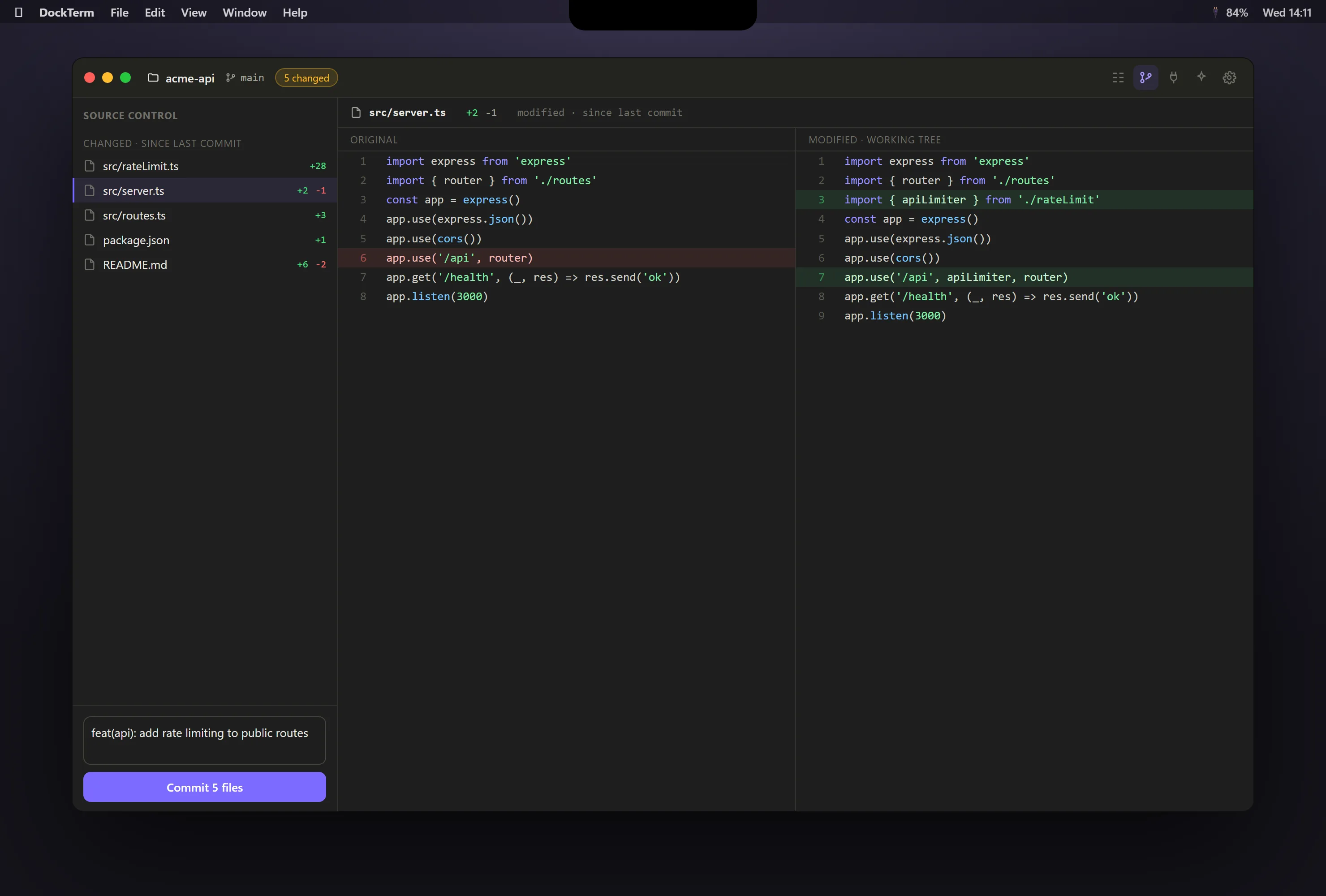
- A diff view of what Claude changed, then stage and commit without typing raw
git. - Live subagents: see Claude Code’s helper agents start, run and finish.
- Chat mode: read the session as a clean conversation while the terminal keeps running underneath.
- munu, a small mascot that brings Claude’s permission prompts to you. On a Mac it drops from the notch, even over a fullscreen app.
- Read-only views of your MCP servers, skills and agents, with secrets masked.
- Token usage over the last 5 hours and 7 days, read from your local files.
What it does not do
- It is not an IDE. There is no code completion, no debugger and no extension store.
- It never calls an AI itself. You need Claude Code installed and signed in.
- No account and no telemetry. The only network calls are update checks.
Get started in a minute
- Download DockTerm from the latest release, or on a Mac run
brew install --cask munvard/dockterm/dockterm. - Open a project folder. DockTerm starts a real shell in it.
- Run
claudeas you always do. There is nothing to configure.