
DockTerm · GuideAbout DockTerm →

Run several Claude Code sessions side by side

To run several Claude Code sessions at once, give each one its own terminal and its own folder, then keep them all in one window. DockTerm does this out of the box: split into a grid with a different project in each pane, see live subagents, and on a Mac munu brings any permission prompt to you.

Updated

Download DockTerm, free

Rule one: one session, one folder

Two Claude Code sessions editing the same files will undo each other’s work. Give each session a different project, or, for the same repo, a separate git worktree on its own branch:

git worktree add ../my-app-login -b login
cd ../my-app-login && claude

Three ways to lay them out

  • Terminal tabs or tmux panes: works everywhere, but you have to check each session to see which one is waiting.
  • Several terminal windows: easy to start, easy to lose behind other windows.
  • DockTerm: a grid where each pane is a different repo. Focus a pane and the file tree, diff and Git panels follow it.
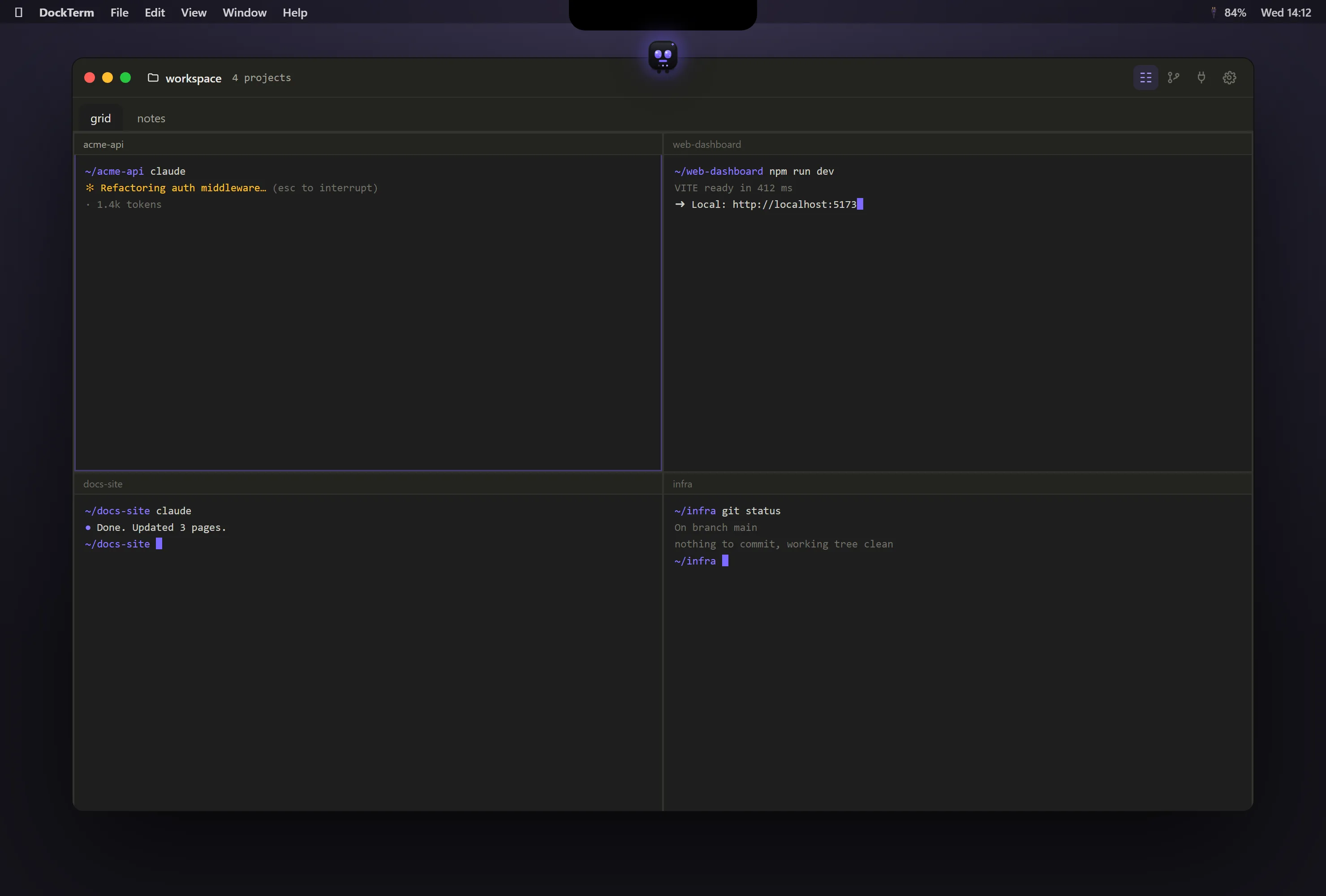
DockTerm with four terminal panes, a different project in each

Set it up in DockTerm

  1. Download DockTerm from the latest release, or on a Mac run brew install --cask munvard/dockterm/dockterm.
  2. Open a project folder. DockTerm starts a real shell in it.
  3. Run claude as you always do. There is nothing to configure.
  4. Split the window into a grid and open a different project in each pane. Drag panes to reorder them.
  5. Start claude in each pane. The top bar counts live subagents across all of them.
  6. Before you commit, open the diff for that pane and read what Claude changed.

Common questions

Can I run more than one Claude Code session at a time?

Yes. Each session is its own claude process. Give each one a different folder or git worktree so they do not edit the same files.

How do I know which session needs me?

In a plain terminal you check each tab. In DockTerm on a Mac, munu brings Claude’s permission prompt to you so you can answer it in one click.

Do parallel sessions use more of my Claude plan?

Yes. Every session uses tokens. DockTerm shows your token usage over the last 5 hours and 7 days so you can pace yourself.

Run Claude Code, then go do something else.

Free · open source, MIT · macOS, Windows, Linux