
How it works
- Download DockTerm from the latest release, or on a Mac run
brew install --cask munvard/dockterm/dockterm. - Open a project folder. DockTerm starts a real shell in it.
- Run
claudeas you always do. There is nothing to configure. - Go do something else. When Claude asks for permission, munu shows the question from the notch. Click an option and Claude continues.
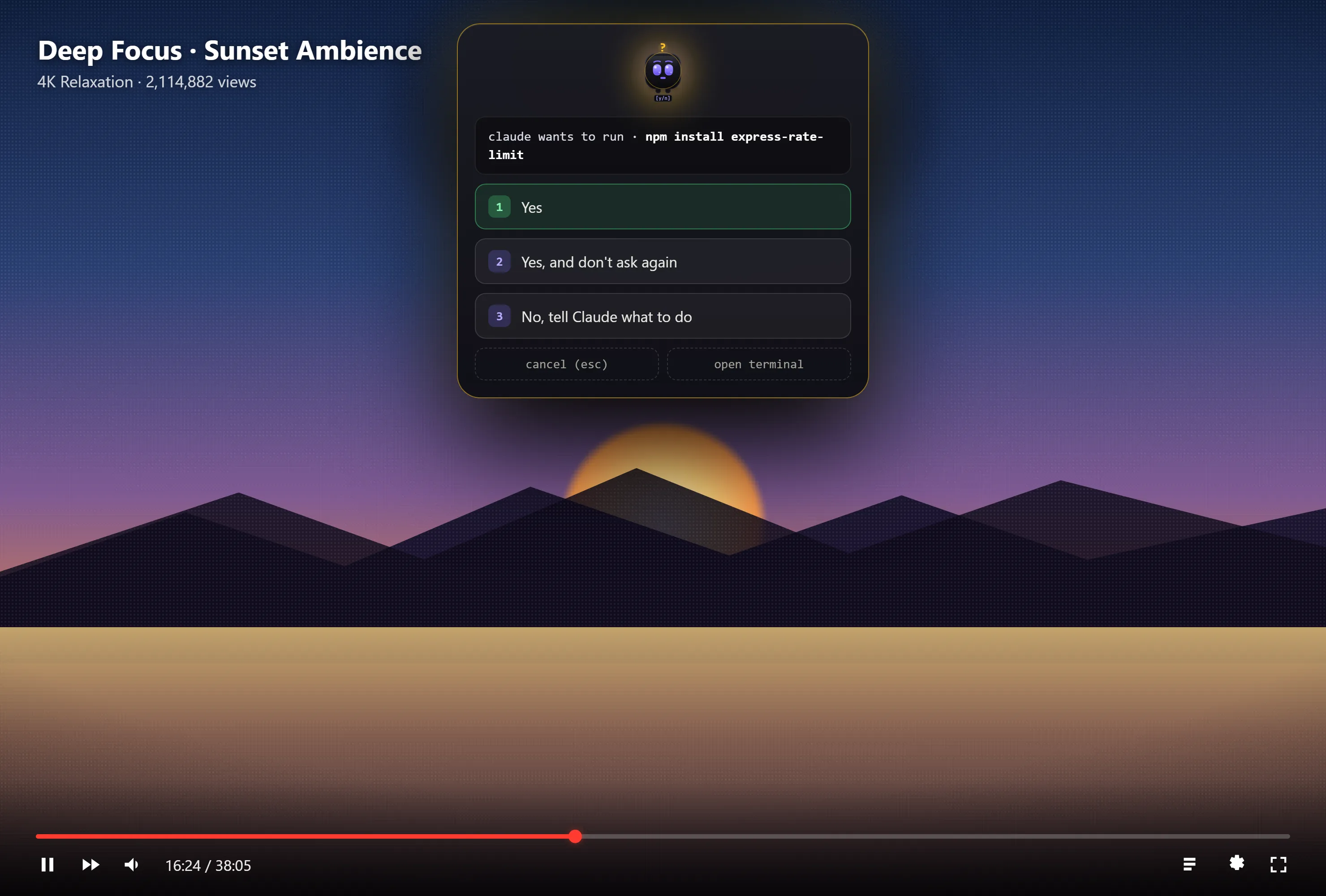
What munu shows
munu is a small face in the notch. It shows when Claude is working, when it needs you and when it is done. When Claude asks a question, munu shows the question and the same options Claude offers in the terminal.
munu reads Claude’s state from the terminal text. It does not install hooks and it does not edit your ~/.claude settings. It never answers for you: if it ever misses a prompt, you lose a reminder, never a wrong action.
Over fullscreen apps
On macOS, munu floats over fullscreen apps on other desktops, so a movie or a fullscreen editor does not hide the question. You can also pin munu anywhere on screen.
On Windows and Linux, munu is a small pill on screen instead of a notch.
Other notch apps for Claude Code
DockTerm is a whole terminal workspace with munu built in. If you want to keep your current terminal and only add a notch, these apps do that. Facts come from each app’s own site, checked on the date at the top.
| App | What it is | Needs | Price |
|---|---|---|---|
| notchi | Notch companion that reacts to Claude Code and Codex | macOS 15, notched MacBook | Free, GPL-3.0 |
| Claude Pulse | Approve tool calls and watch sessions from the notch | macOS 15, notched Apple Silicon MacBook | Free |
| Vibe Island | Notch panel with Allow and Deny for several agents | macOS, Apple Silicon | $19.99 one time |
| Crest | Notch toolbox: agent approvals, 2FA codes, files, music | macOS 14 | Free tier, paid Pro |
| AgentNotch | Approval requests for many coding agents in the notch | macOS | $9.99 one time |
| DockTerm | Terminal workspace with munu, which shows Claude’s prompts from the notch | macOS, Windows, Linux | Free, MIT |